
Cardiogram Integration – Phase 1: Face Scan
Complete integration flow from face scan launch to data storage
Inside Cardiogram App
User Flow:
- • User taps "Face Scan" tab in Cardiogram mobile app
- • Cardiogram opens iframe URL:
https://www.scanyourface.co/start/cardiogram?cgUserId=12345abccgUserId is appended to the form url and captured on load and posted to HiQOR
Cardiogram → HiQOR Data POST:
{
  "cgUserId": "12345abc",
  "sessionId": "sess_789xyz"
}
HiQOR stores this data to prepare for user's next action
Cardiogram
Cardiogram
HiQOR
HiQOR Processing & Initial Response to Cardiogram
Intake Form Submission:
- • User completes the intake form
- • HiQOR backend generates UUID:
27ef8f01-bf21-44de-9444-ecf7f364ba9a- • Links UUID with stored cgUserId
- • Processes face scan data
HiQOR Intake Form
I consent to receive SMS/text messages (TCPA consent) from Mutual of Omaha...
HiQOR → Cardiogram POST:
{
  "cgUserId": "12345abc",
  "assessmentType": "FaceScan",
  "funnelID": "cardiogram",
  "patientUUID": "11884643-42a0-499c-bafd-2b9a9617a5a6",
  "IPAddress": "192.168.0.1",
  "email": "patient@example.com",
  "lastName": "Doe",
  "firstName": "John",
  "phone": "1234567890",
  "zip": "12345",
  "biologicalSex": "male",
  "age": 35,
  "dateOfBirth": "1988-01-01",
  "city": "New York",
  "state": "New York",
  "formCompleted": true,
  "contactConsent": true,
  "consentTimestamp": "2025-07-14T15:22:00Z",
  "consentURL": "https://www.scanyourface.co/start/cardiogram"
}
HiQOR
Cardiogram
Biometric Assessment Results & Data POST
Face Scan Process:
- • User completes face scan assessment
- • HiQOR processes biometric data
- • Comprehensive health metrics generated
- • Results linked to existing patientUUID
Face Scan
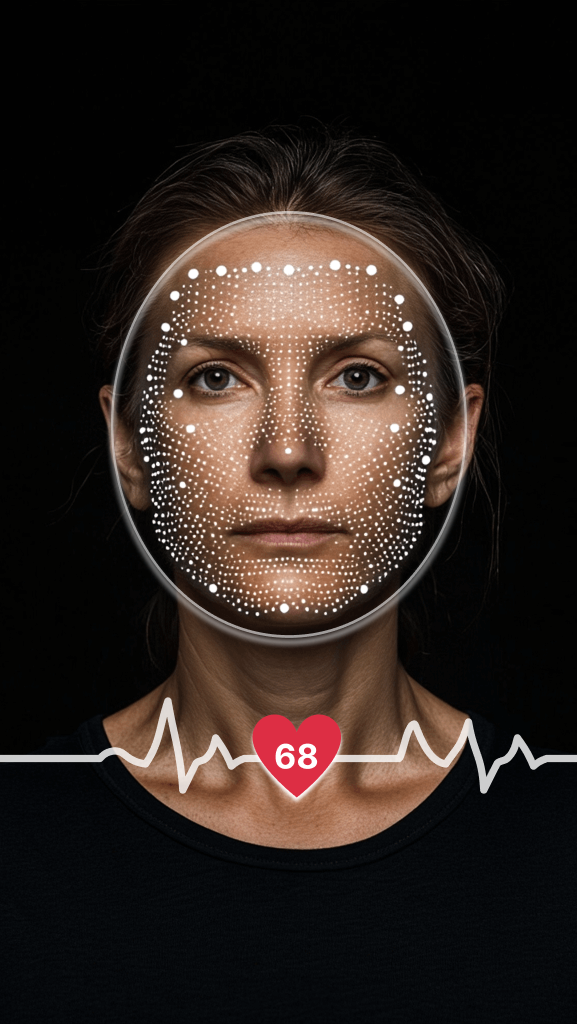
HiQOR → Cardiogram POST (Face Scan Results):
{
  "cgUserId": "12345abc",
  "patientUUID": "11884643-42a0-499c-bafd-2b9a9617a5a6",
  "biologicalSex": "male",
  "preference": "waistCircumferenceIn",
  "heightFt": "5",
  "heightIn": "5",
  "weightLb": "95",
  "heightCm": "165",
  "weightKg": "43",
  "ageYear": "30",
  "pregnant": "No",
  "smoker": "never",
  "activity": "exerciseOver3Hours",
  "hypertension": "false",
  "diabetic": "none",
  "chronicMedication": "none",
  "bpMedication": "false",
  "assessmentDate": "7/9/2025",
  "hypertensionMedication": false,
  "pulseRate": "75",
  "bloodPressure": "112/77",
  "hRV": "48",
  "breathingRate": "20",
  "pnsZone": "2",
  "prq": "3.7",
  "wellnessLevel": "2",
  "hemoglobin": "11.5",
  "stressLevel": "2",
  "meanRri": "797",
  "hemoglobinA1C": "4.42",
  "lfhf": "3.049",
  "pnsIndex": "-0.4",
  "rmssd": "43",
  "confidenceLevel": "3",
  "sd1": "34",
  "sd2": "58",
  "snsIndex": "0.6",
  "snsZone": "2",
  "stressIndex": "120",
  "wellnessIndex": "5",
  "highHemoglobinA1CRisk": "1",
  "highBloodPressureRisk": "1",
  "vO2": "36.92",
  "bMI": "18.69",
  "psi": "4.90",
  "wHtR": "",
  "bSI": "",
  "fatigue": "normal",
  "anemic": "mild",
  "inflammation": "3.46",
  "metabolicER": "1.98",
  "stressResiliency": "5.54",
  "avgGlucose": "80.2",
  "metabolicHealthScore": "9",
  "biologicalAge": "32",
  "healthScore": "749",
  "healthScoreStatus": "Excellent",
  "assessmentCompleted": true
}
HiQOR
Cardiogram
Separation & Segmentation Approach
1. Segregated Storage Model
- • does not store face scan data in core user profile
- • Stores HiQOR UUID as custom attribute (
patientUUID) - • Links user's wearable profile (cgUserId) with face scan record
- • Prevents data type mixing due to significant overlap
User Profile Structure
2. Customer.io as the Storage Platform
User Profiles
Manages core user data and wearable profiles
Events
Tracks scan completion and related activities
Segmentation
Creates user segments based on scan status and health data
Data Processing Flow:
- • HiQOR POSTs scan completion data to Cardiogram
- • Cardiogram associates data with cgUserId
- • patientUUID attached to user in Customer.io
- • Scan data stored in parallel namespace/event attributes
- • Data remains tied to original Cardiogram ID but distinct from wearable records
3. Use Cases for This Storage
User Segmentation
patientUUID != nullIdentifies users who have completed face scans
- • Create "Has Face Scan" segments
- • Target users for follow-up campaigns
- • Track conversion rates
Targeted Messaging
- • Onboarding sequences for scan completers
- • Health insights messaging
- • Re-engagement campaigns
4. Identifiers Used
cgUserId
Cardiogram's unique user identifier
- • Primary key for wearable data
- • Links to Customer.io profile
- • Maintains data continuity
patientUUID
HiQOR's unique ID created upon intake
- • Generated during form submission
- • Links intake to scan results
- • Stored as custom attribute
Bidirectional Linking: Both identifiers are exchanged in all POST payloads to maintain data integrity and enable cross-platform functionality